

Step-by-Step Guide to Booking Your SAAQ Driving Test Online in Quebec
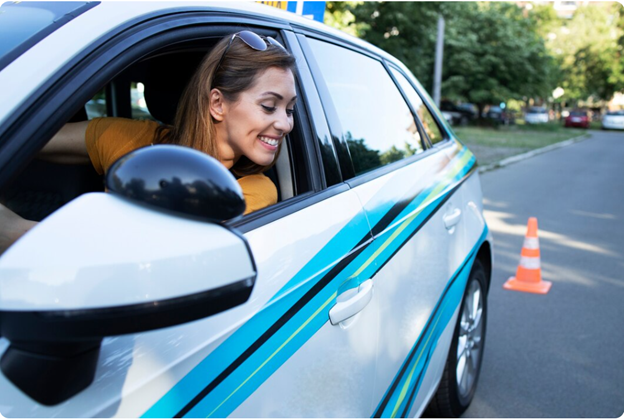
Booking your road test doesn’t have to be stressful. Whether you’re preparing for your first attempt or upgrading your license, this simple guide shows you exactly how to book your SAAQ driving test online in Quebec — fast and correctly.
At Montreal City Motor League, we help students navigate the process every day. Follow this step-by-step breakdown and avoid common mistakes that cause delays.
🧾 Before You Book Your SAAQ Driving Test
Make sure you are eligible:
✔️ You have completed the required driving course
✔️ You hold a valid learner’s license
✔️ You’ve finished the mandatory waiting period
✔️ Your theory exam is passed
✔️ No outstanding fines or suspensions
Without these, the SAAQ system will block your booking.
💻 Step 1 – Visit the Official SAAQ Website
Go to the official SAAQ online services portal. This is the only trusted platform for booking your Quebec driving test.
Look for the option related to:
“Make an appointment for a road test”
Avoid third-party booking sites — they are not official.
🔐 Step 2 – Log Into Your SAAQ Account
You’ll need:
-
Driver’s license number
-
Personal information (DOB, postal code)
If it’s your first time, you may need to create access through the government login system.
🚗 Step 3 – Choose Your Test Type
Select:
Road Test – Class 5 (Passenger Vehicle)
Be careful not to choose:
-
Knowledge exam (written)
-
Motorcycle test
-
Commercial license
Choosing the wrong option can delay your process.
📍 Step 4 – Select Your Test Centre
You can choose from available SAAQ test locations, including Montreal and surrounding areas.
Tip:
Some locations have shorter wait times than central Montreal. Being flexible can get you an earlier date.
📅 Step 5 – Pick a Date and Time
The system shows available slots. Popular times (weekends and afternoons) fill quickly.
Best strategy:
✔️ Book early morning slots
✔️ Check for cancellations regularly
✔️ Be ready to take the test within 2–4 weeks if you find an earlier opening
💳 Step 6 – Pay the Test Fee
You must pay online to confirm the appointment.
Accepted methods typically include:
-
Credit card
-
Debit card (where applicable)
Your booking is not confirmed until payment is completed.
📩 Step 7 – Receive Confirmation
You will receive:
-
Email confirmation
-
Appointment details
-
What documents to bring
Save this email or screenshot.
📋 What to Bring on Test Day
✔️ Learner’s license
✔️ Appointment confirmation
✔️ Safe, roadworthy vehicle
✔️ Glasses/contact lenses (if required)
Vehicle must have:
-
Working brake lights
-
Valid registration
-
Insurance
⚠️ Common Booking Mistakes to Avoid
❌ Waiting until the last minute
❌ Booking before finishing your driving course
❌ Using an unofficial website
❌ Choosing the wrong license class
❌ Not checking email confirmation
🎯 Pro Tip from Montreal City Motor League
Before booking your test, take a pre-test driving session with a certified instructor. Many students fail not because they can’t drive — but because they don’t know what examiners look for.
We prepare you specifically for:
✔️ SAAQ road test expectations
✔️ Montreal traffic challenges
✔️ Common fail points
🏁 Final Thoughts
Booking your SAAQ driving test online in Quebec is simple when you follow the correct steps. Preparation + the right booking strategy = higher chances of passing on your first attempt.
Need help preparing?
Montreal City Motor League is here to guide you every step of the way.